

Appearance
What ALIAS does
ALIAS is an Anonymous, Live, In-context Assistance Service: a support desk built into the product that needs it. A user taps Report a problem, writes a line and sends it. Your product adds what it knows. Your support team answers from the panel, and the answer appears where the user is.
Each word is something it does:
- Anonymous: a user is an id and a secret the service makes, with no account, name or email address. See Anonymous, for real.
- Live: answers reach the user while they're still in your product, a ticket can become a conversation, and support can ask to look at the device itself. See Live answers and Remote assistance.
- In-context: a report comes from where the problem happened, with what your product knew at that moment. See Reports with their context.
- Assistance service: your team answers from one panel, for every product you run, on your own servers.
Reports with their context
Emailing a screenshot loses most of what support needs, and hands over an address the user may not want to share. An ALIAS report carries:
- the user's note, in plain text or Markdown, and a reply thread on the same ticket;
- attachments: a screenshot taken by your product at that moment, which the user can black out by hand before sending, and more files if they're needed (logs, saves, photos), up to a count, size and set of types you choose, including types of your own such as PDFs or save files;
- context fields you declare per product: text, numbers, yes/no, a place on a map, a link built from other fields (such as "open this level here"), or JSON. Anything a product sends that it didn't declare is dropped;
- telemetry: free JSON up to a size you choose, checked against your JSON Schema if you set one. A report that doesn't match is refused with the reason, so a bad build shows up at once;
- the product's version.
The panel shows the declared fields as a table, the telemetry's named fields next to them and the rest as raw JSON.
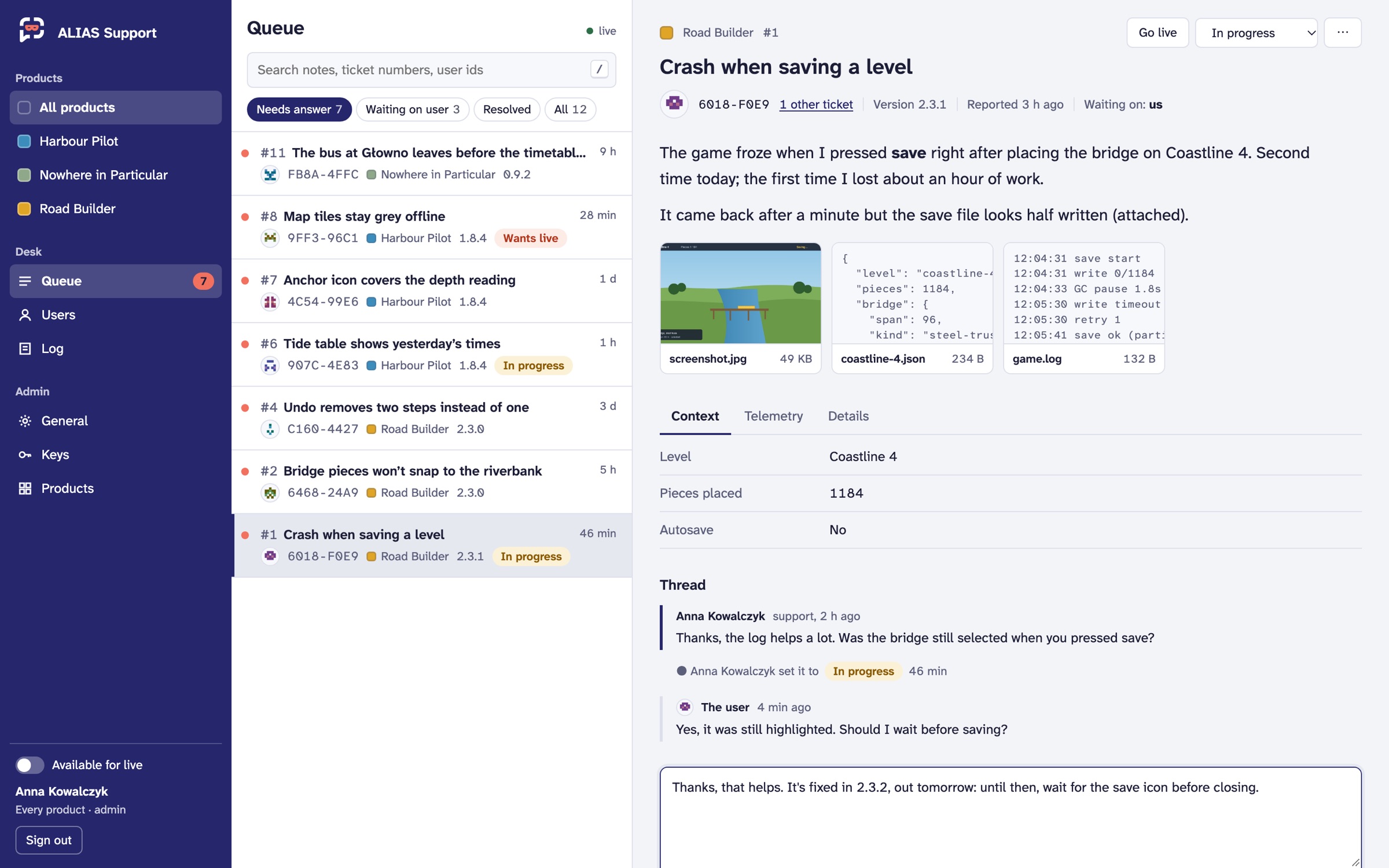 A report on the desk, with what the game knew when it was sent. Demo data.
Redaction
Some of what a product knows shouldn't reach support at all, and some only in part. Each product has redaction rules for its telemetry, its context fields and the note:
| Strategy | Does |
|---|---|
drop | removes the value |
mask | shows •••• and the last few characters |
truncate | keeps the first so many characters |
round | rounds a number to a step |
coarsen | lowers the precision of a number or a place on the map |
regex | replaces whatever matches a pattern, in every text under the path (email addresses, tokens, phone numbers) |
hash | replaces the value with a pseudonym under the product's own secret: support can see that two reports share it, never what it is |
The clients apply the rules before anything leaves the device, and the server applies them again as a report comes in, so an old or altered client changes nothing. Your app can add strategies of its own. The user sees the telemetry before sending, and can take out the fields you've marked as theirs to remove.
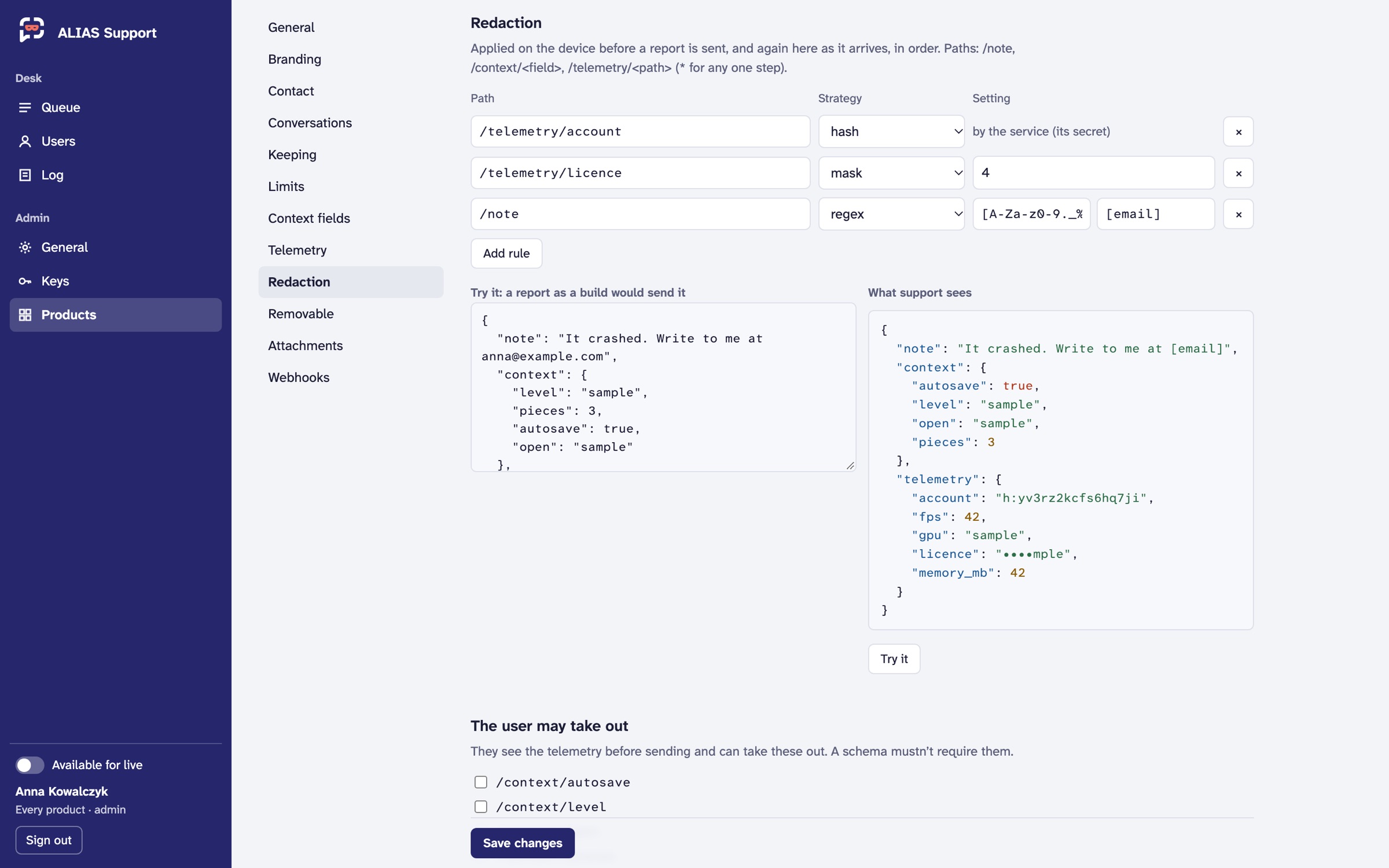 Rules are tried on a sample before they're saved: the right side is exactly what support would see.
By hand: the clients include an editor in which the user covers parts of a screenshot with solid boxes or a brush before it's sent. The result is a new image, so nothing underneath survives. There's no blur, because blur can be undone. Every image also loses its metadata on the server (EXIF with its GPS position, XMP, text chunks).
Markdown
Notes, replies and support's answers each say their format: plain text or Markdown (CommonMark with tables, strikethrough and autolinks). The text is kept as written, and each front end renders it its own way: the panel as HTML, the Godot client as rich text. Raw HTML is never rendered, and images can only be the report's own attachments, so nothing in a report can make a user's device reach out to anyone.
Anonymous, for real
- The service makes the identity: an id and a secret, the first time your product asks. The client never makes either, so a weak random number generator on some platform can't produce guessable secrets.
- Only a hash of each secret is kept. Each device holding the identity has its own secret.
- Ids are per product. The same person using two of your products has two unrelated ids.
- No account. ALIAS never asks for a name, an email address or a login.
Live answers
When support answers or changes a ticket's status, the user's client hears of it straight away over a stream, or on its next poll where streams aren't possible. A ticket waiting on the user, or resolved, opens again when they reply.
Some problems are quicker talked through. A product can run its tickets live, as a conversation with typing and read receipts, or let a single ticket go live: support switches it from the panel, or the user asks from the client while someone at the desk is available. A live ticket that goes quiet turns back into an ordinary one.
Contact, only on purpose
Each product chooses whether users may leave a contact at all. If they do, it's an email address or "something else" (a forum handle, say). It's given only with the user's consent to your text, shown in full in the client, and the service keeps the record: the text they agreed to, when, and when they withdrew it. It's shown to support as unverified, every look at it is logged, and the user can withdraw it at any time.
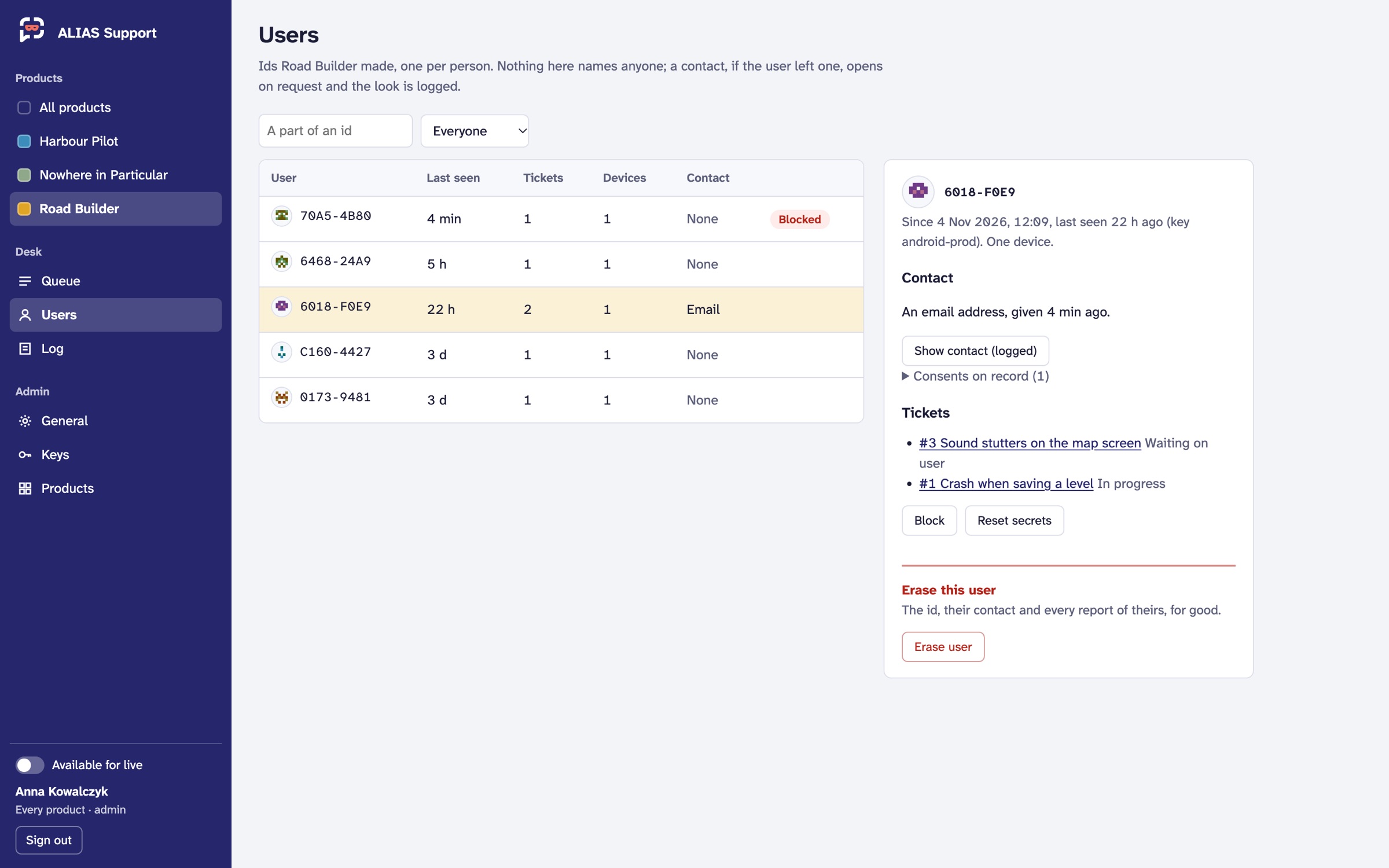 Users are short ids, not names. A contact stays hidden until someone asks to see it, and that look goes in the log.
Their data, under their control
- Moving to another device: the product shows a short code, valid for 10 minutes, to type in on the other device. Wrong guesses are limited per address and per code, and a code dies after a few wrong tries.
- A copy: everything kept about the id, attachments included, as one file.
- Erasure: the id, its reports, its attachments and its contact deleted at once, for good.
- Keeping times per product: resolved reports and quiet ids are deleted on their own.
A privacy text for your product describes exactly this.
Remote assistance
Some problems need a look at the device itself. From a ticket, support can ask to see the screen or open a shell on the device it came from, and the device decides: the user, or for a box nobody sits at, its owner's settings, says yes or no each time. Nothing connects before that, and what support can reach is set on the device, never from the panel.
The screen opens right in the panel; the shell goes to support's own terminal and ssh, and the device's own sign-in still applies. Both go through swsrs, a relay that each side dials out to, so they work behind NAT and on the edge. Every request and session, with how long it lasted, is in the ticket's thread for both sides to see, and in the log. Nothing is recorded. The shell is encrypted end to end; the screen isn't yet, so run the relay yourself.
Remote assistance is in the Business plan on the hosted service, through our relay. Self-hosted, you run the relay beside ALIAS: see Deploying.
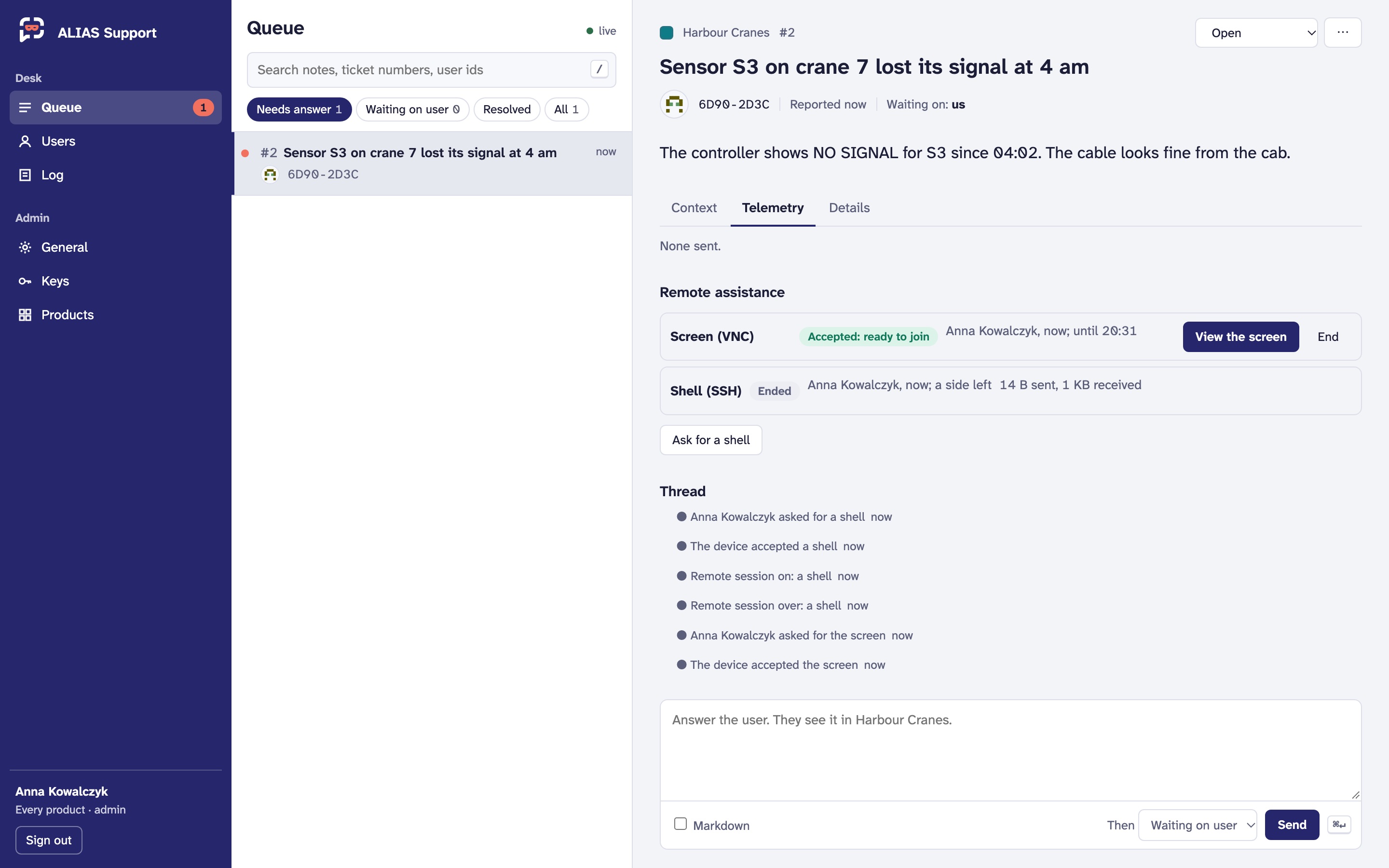
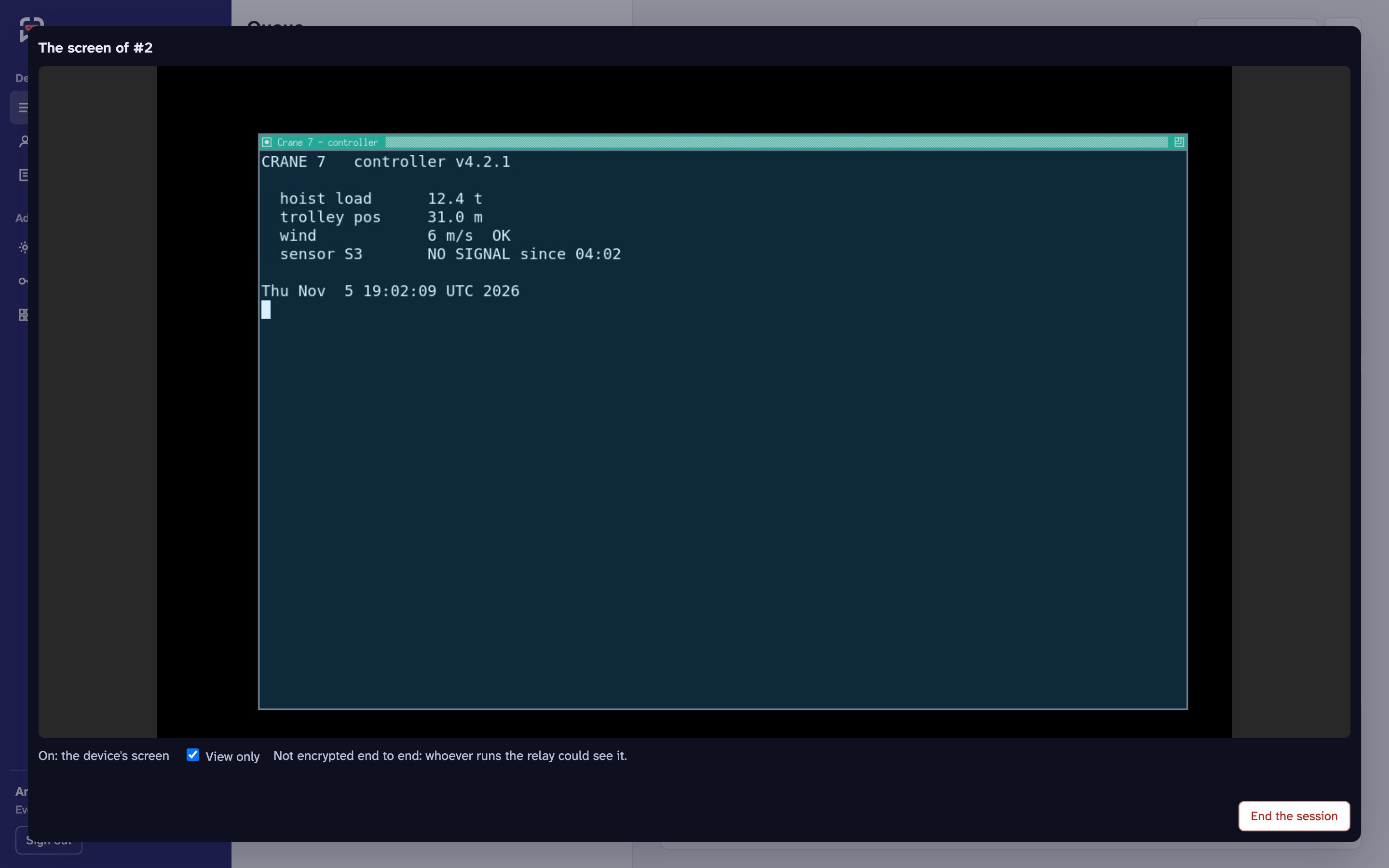
A made-up crane controller in a test container, asked from the panel. Demo data.
A device with no app of its own, such as a Linux box or an edge device, runs alias-agent: it asks on its terminal, waits for an alias-agent accept, or accepts the channels you chose unattended. Products with their own app answer through the TypeScript and Godot clients.
What it isn't
ALIAS isn't a full ticketing system, and isn't trying to become one. It doesn't do custom workflows, SLAs, escalation rules, or fields and states of your own design. It does one thing well: it gets a problem from inside your product to your support team with its context, keeps the person who reported it anonymous, and gets the answer back to them.
If your team already works in a ticketing system, or needs one, keep it and connect ALIAS to it. Webhooks send every ticket event to it as it happens, and integrations with systems such as Jira are planned. We know one tool won't fit every team's workflow, so ALIAS is built to sit next to yours rather than replace it.
Into your own systems
Each product can send its ticket events (a report, a reply, an answer, a status change, a deletion) to your own endpoints: an issue tracker, a chat channel, a data warehouse.
- Signed: as Standard Webhooks. Each endpoint has its own secret, shown once, and every delivery is signed with HMAC-SHA256 over its id, timestamp and body, so a receiver can refuse forgeries and replays. Rotating a secret keeps the old one signing for a day.
- Little by default: an event says what happened to which ticket, with a link to it on the panel. What the user wrote and sent is included only if you switch it on for that endpoint, and then only after your redaction rules.
- Retried: deliveries are queued and tried again with backoff for a little over a day, with a log and a retry button on the panel.
The events, the payloads and how to verify them: Webhooks.
Integrations with ticketing systems such as Jira are on the roadmap.
Bring your own AI agent
ALIAS doesn't come with an AI of its own, and doesn't tie you to one. Use whichever agent you like, from any provider or one you built yourself, running wherever you choose.
An agent signs in like anyone on the desk: with its own service account at your sign-in provider, and only the permissions you give it, such as reading the queue and answering, for one product or all of them. It uses the same API as the panel and the command line. It sees what support sees, after redaction, and everything it does is in the log under its own name.
Its answers are marked as an agent's. The user's thread says so, the panel shows it, and webhooks carry it, so people always know when they aren't talking to a person.
One desk for many products
- Products are isolated: keys, users, reports, fields, schemas, limits, keeping times and branding are each product's own.
- The panel (your organisation's OpenID Connect sign-in, straight away: nothing of it shows before) shows the queue across every product you may work. Answers are pushed to it live.
- Permissions: each thing support can do is a permission of its own, for one product or all of them: answering, seeing a contact, erasing a user, issuing a key. Named sets cover the usual roles (support, a product's desk, admin), and your sign-in provider can grant either. The panel shows each person only what they may do.
- Keys are issued on the panel and shown once, one per build or channel if you like. A key ships in your builds, so ALIAS treats it as an identifier and limits what a copied one can do: a budget per key, proof of work on new identities that you can raise during an attack, and quarantine, which keeps a leaked key's old builds working at the tightest limits instead of cutting their users off. Revoking one takes effect at once.
- Products can be defined in the configuration file, read-only on the page, or made on the page itself.
- Everything is logged: answers, status changes, blocks, erasures, key changes and every view of a contact.
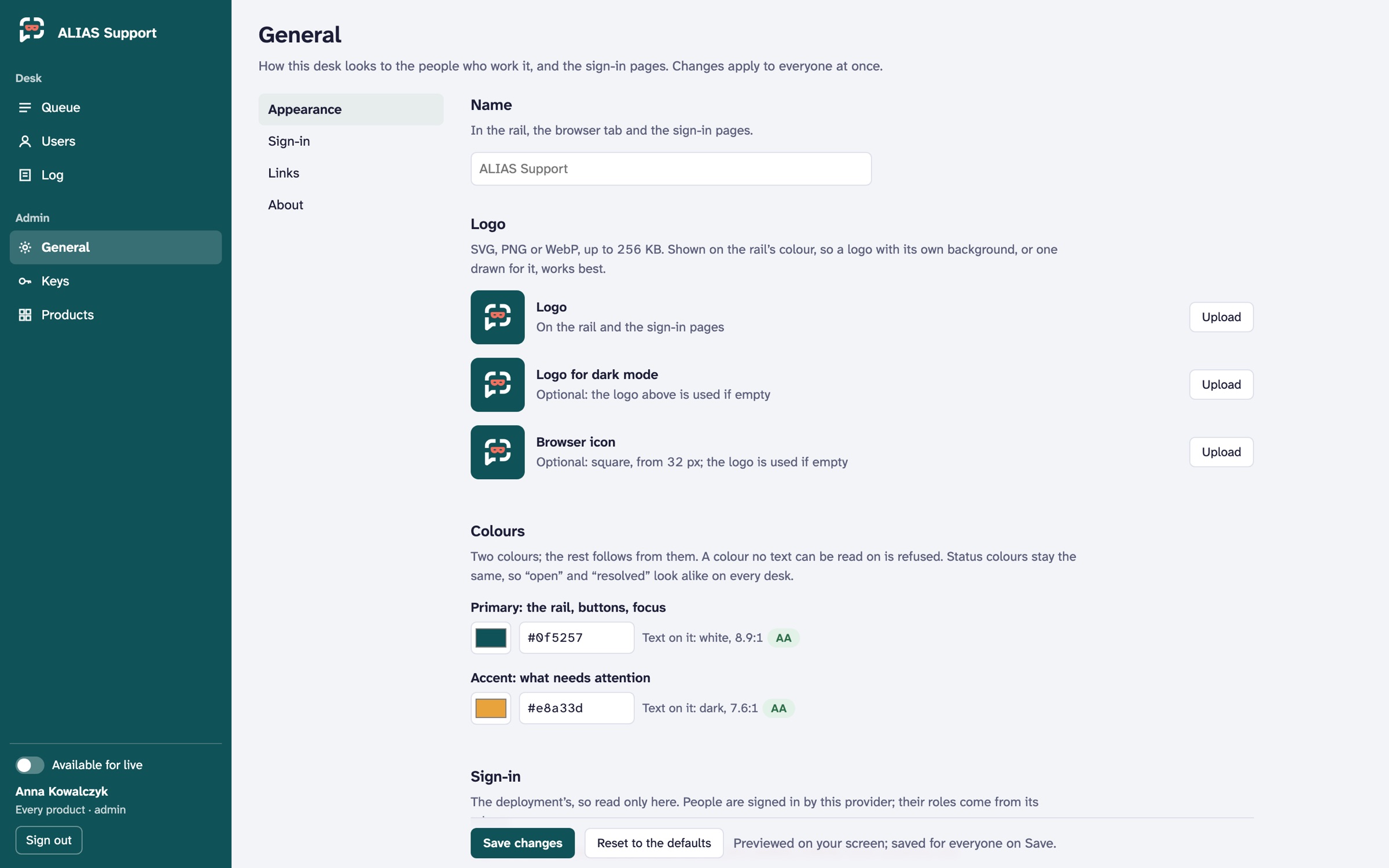 Each deployment has its own name, logos and colours. Text contrast is checked as you pick them.
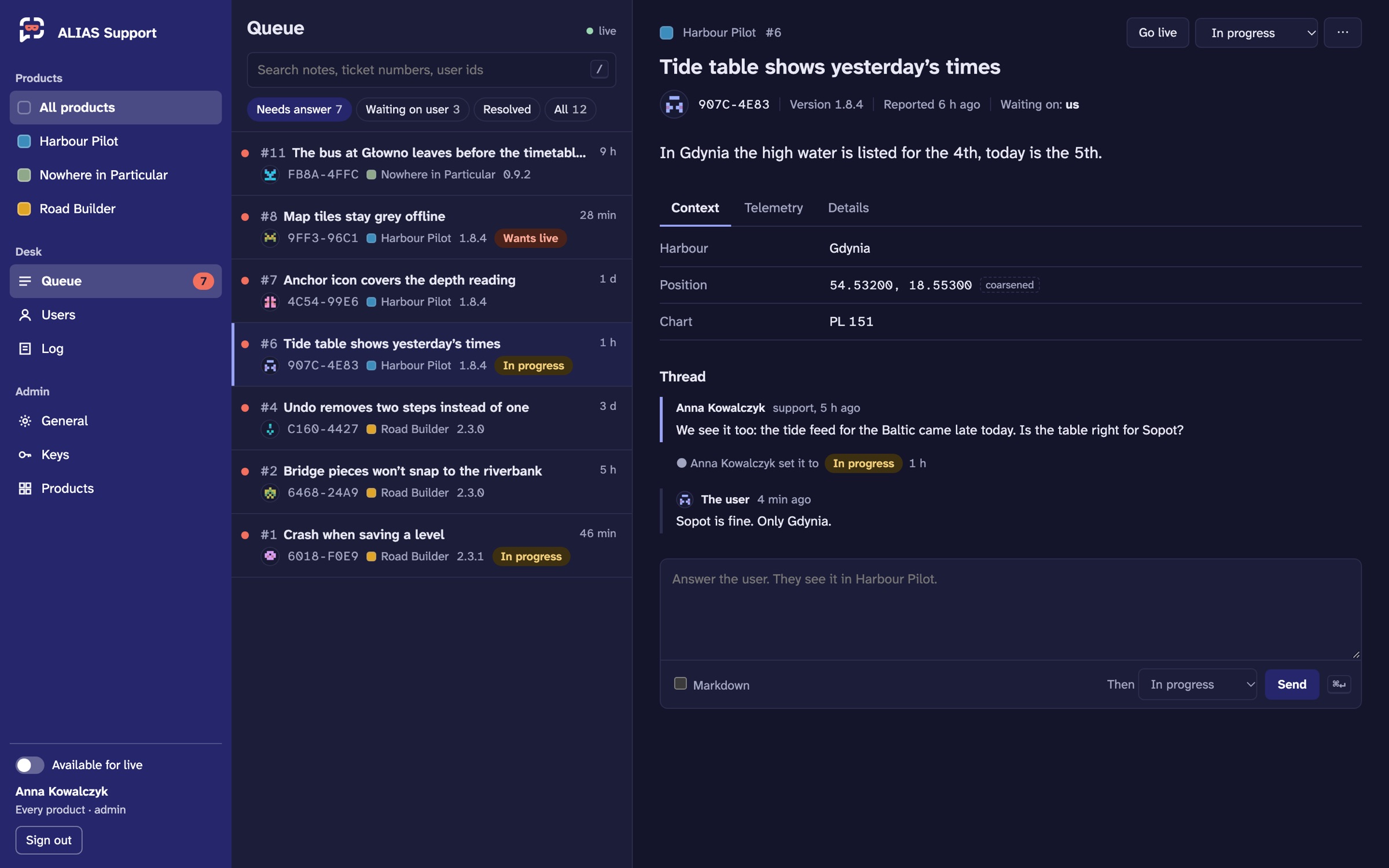 Dark mode follows the system.