

Appearance
Showcase
Nowhere in Particular
Nowhere in Particular is the game ALIAS was first built for, and where its prototype runs today, through the Godot client. Players report a problem from inside the game, with what the game knew at that moment, and read support's answer there too. Support lives on the in-game phone, so reporting never leaves the game.
The shots below are from the game, with demo data.
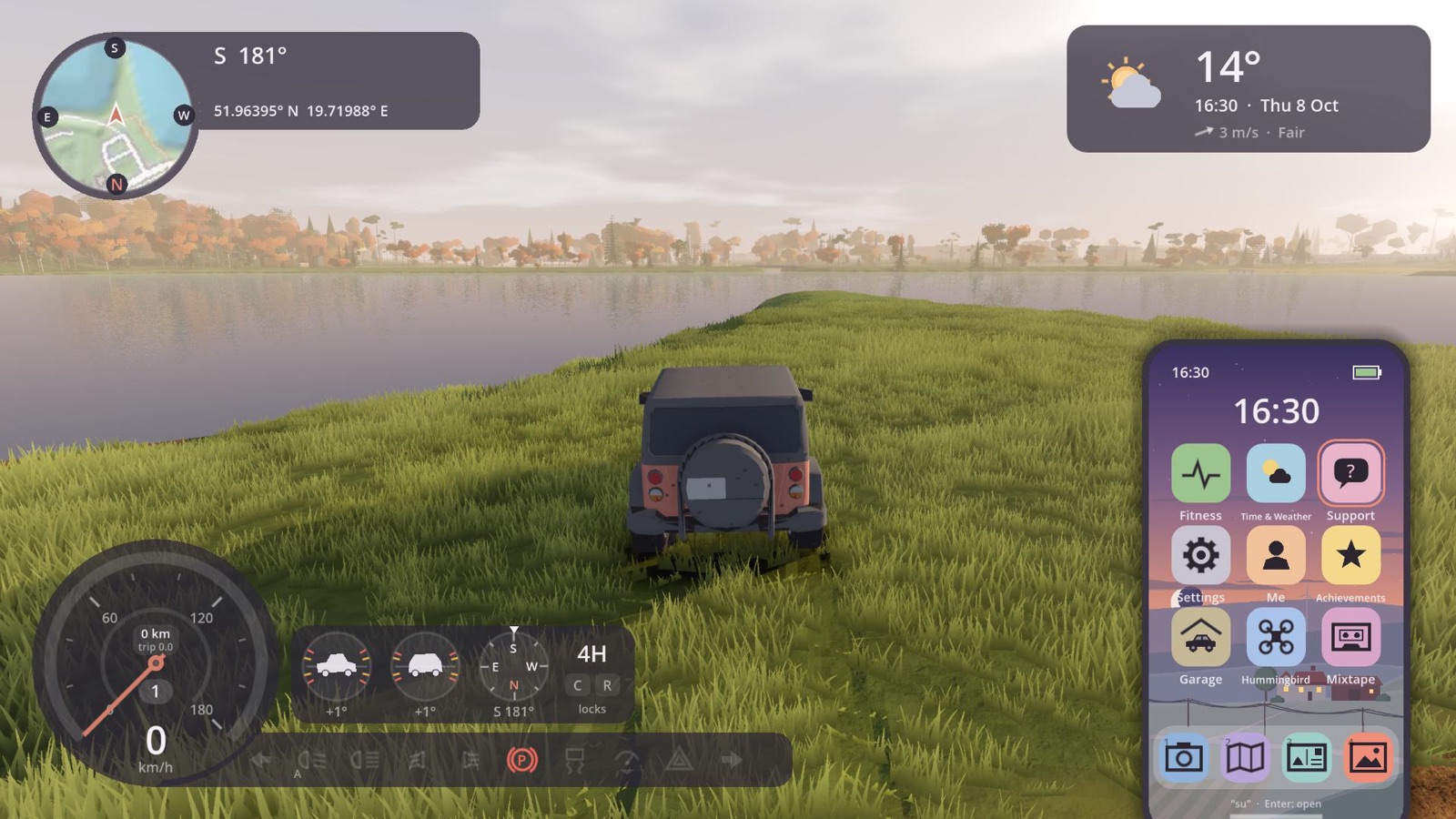 Support is an app on the player's phone.
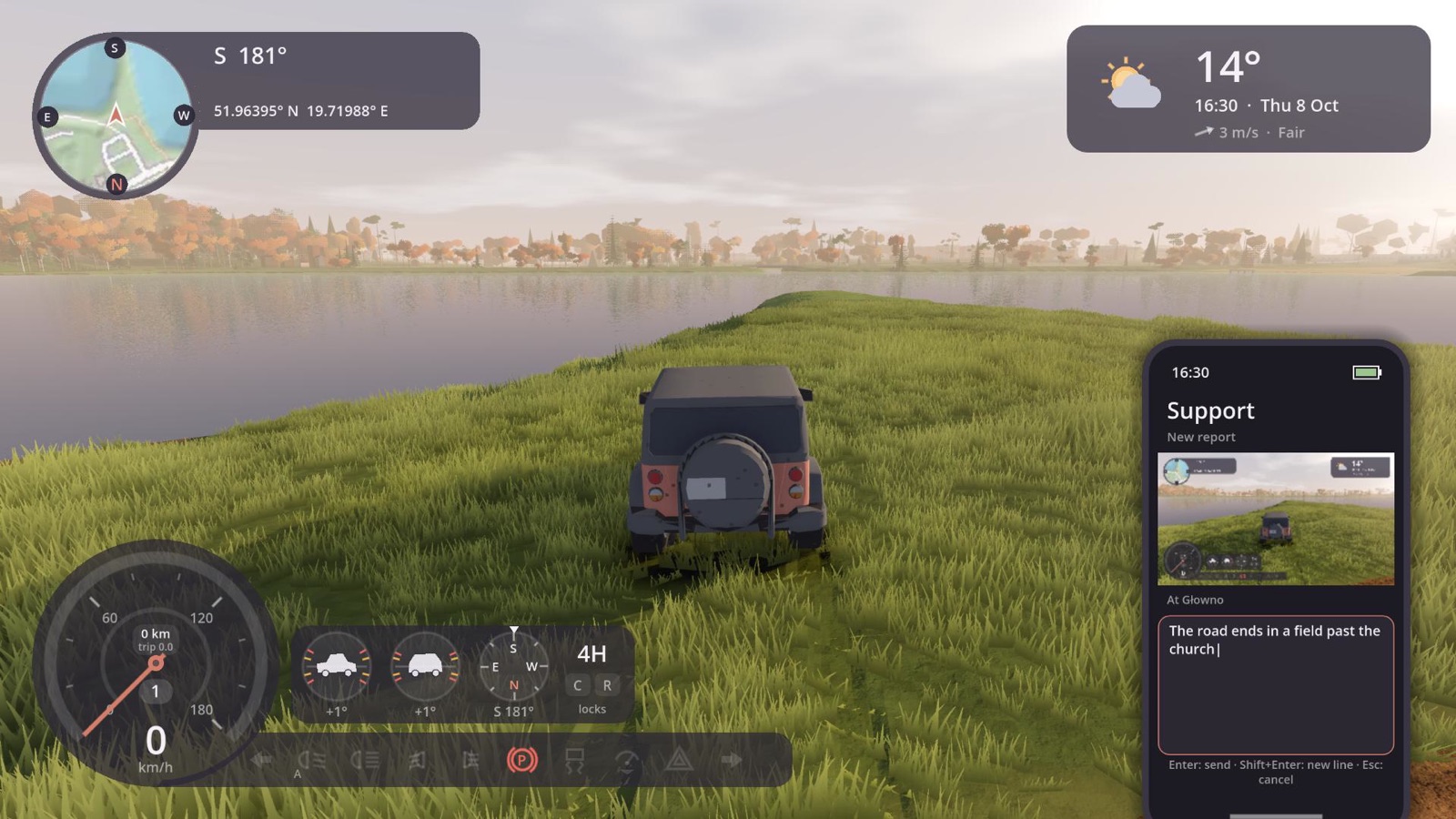 A new report. The screen is attached as it was, and the place comes from the game, so the player only says what's wrong.
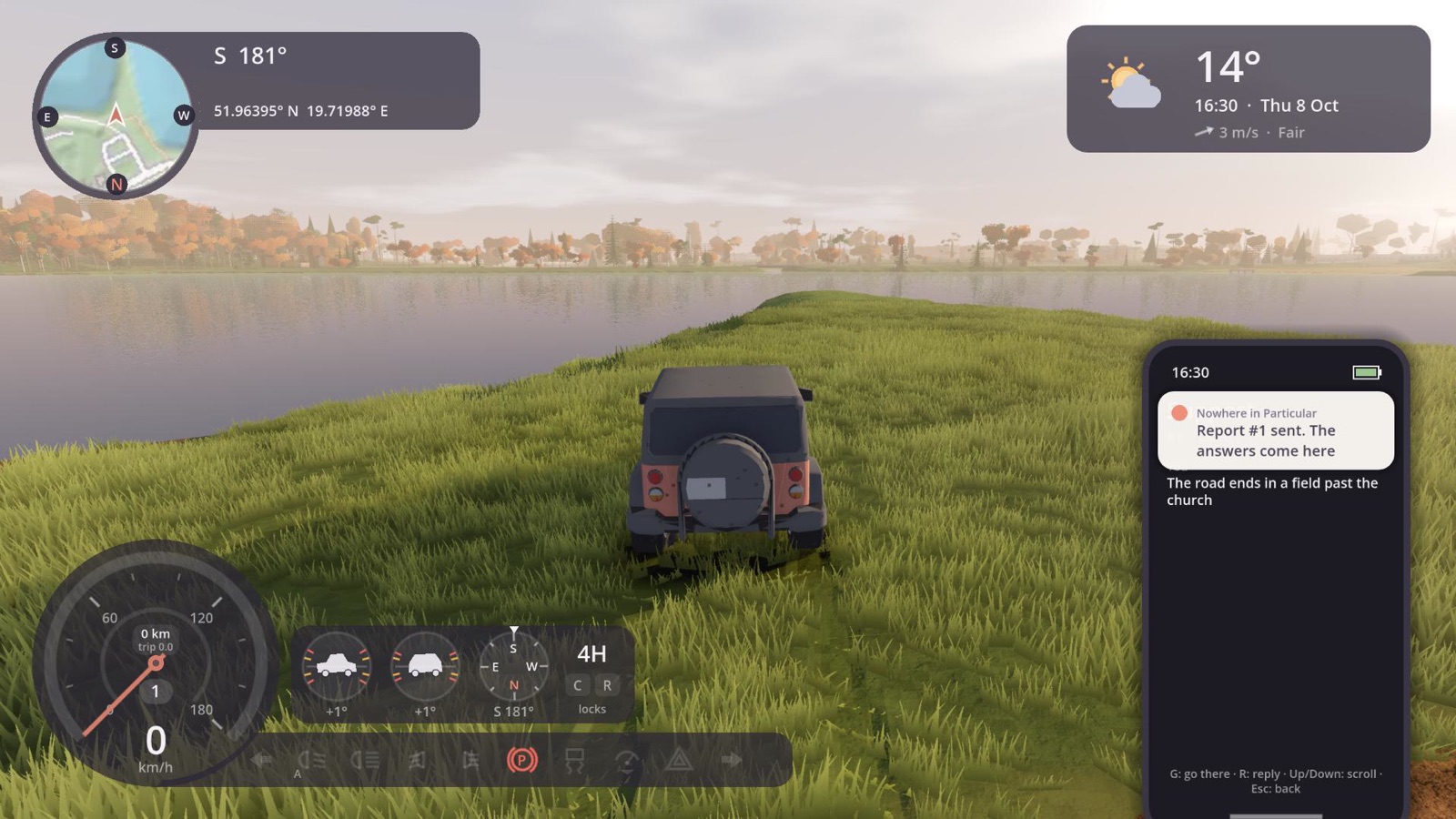 Sent. No account, no email: the identity is the service's, made the first time.
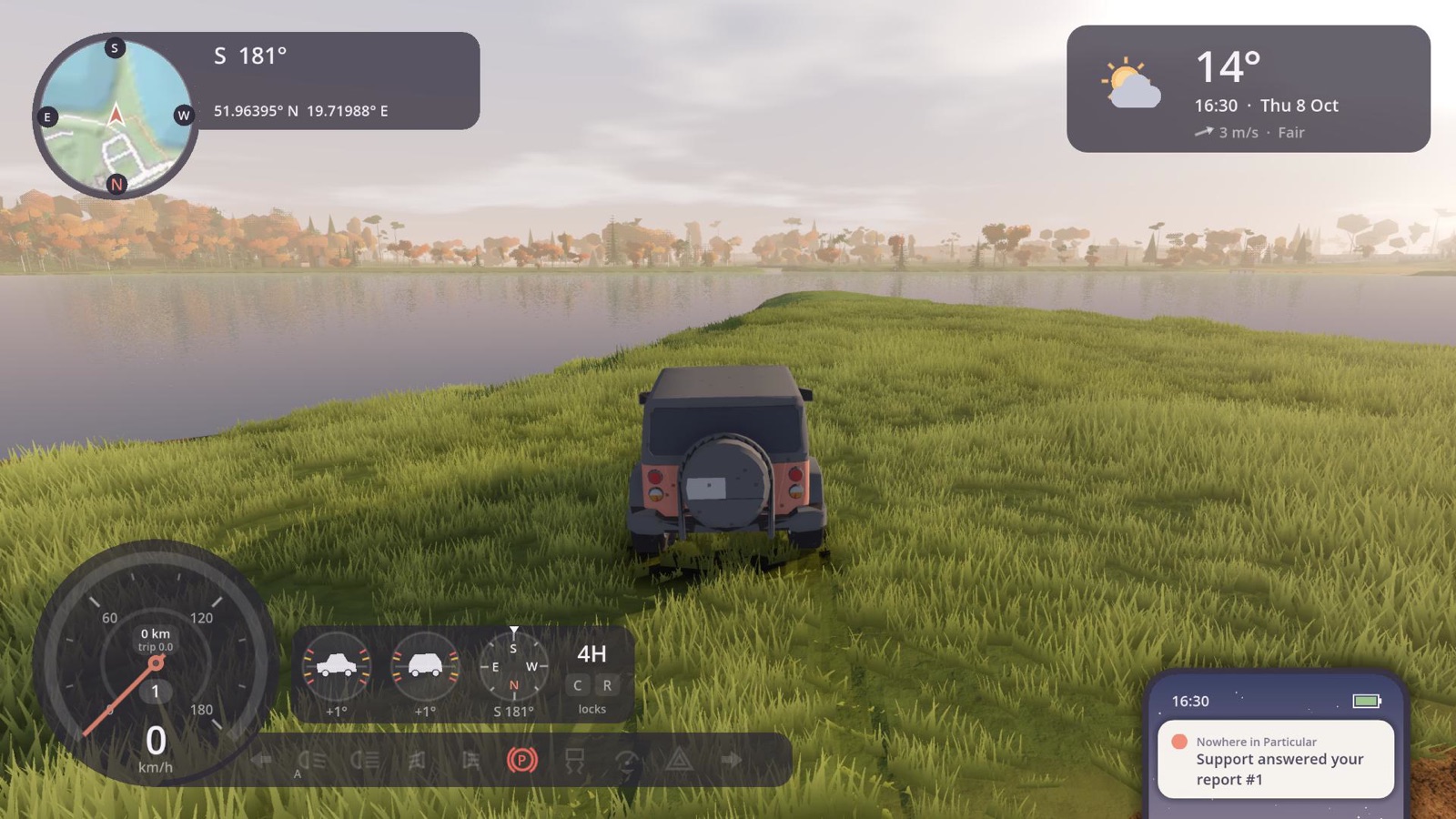 The answer arrives while they're still playing.
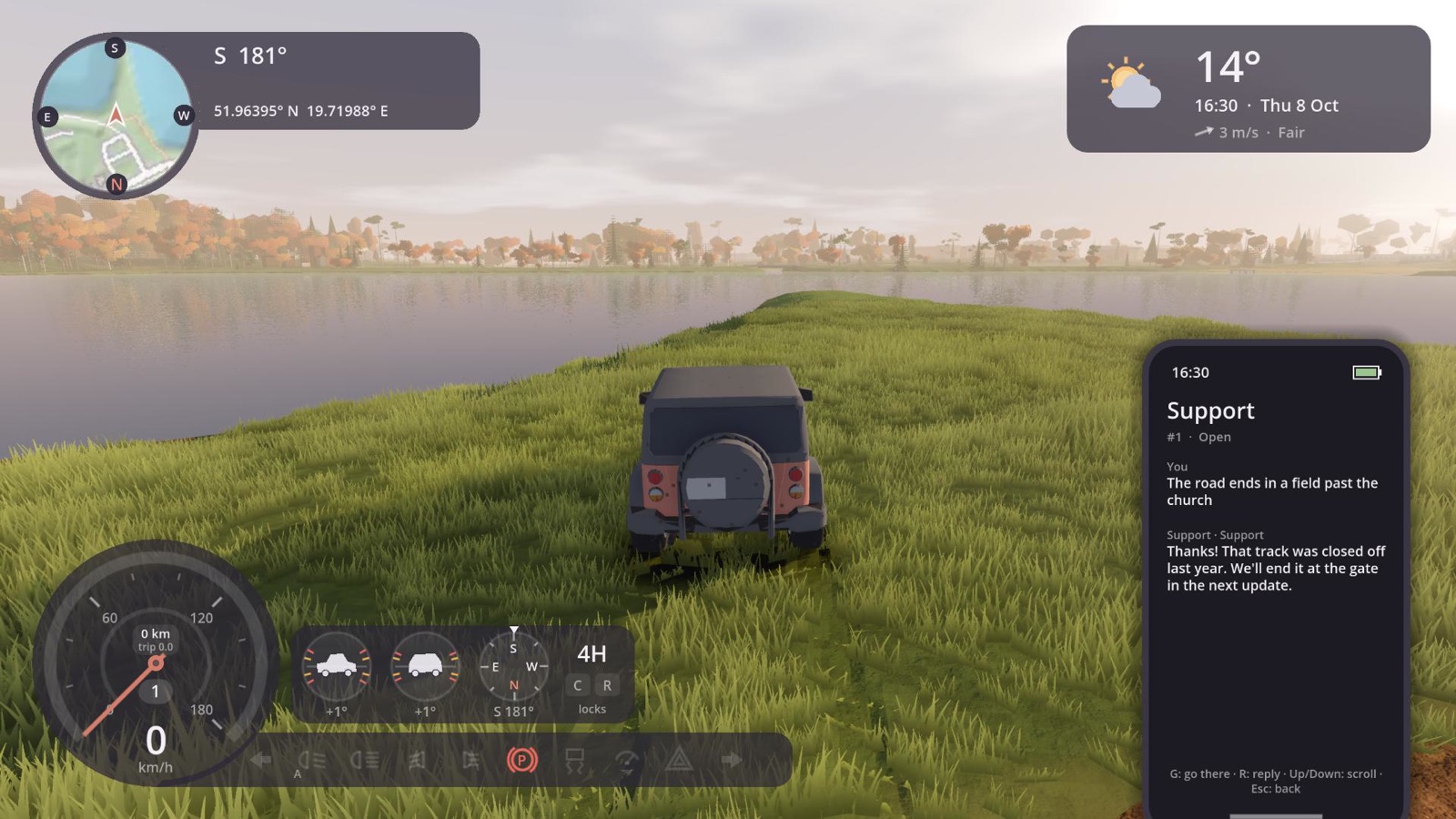 The thread, in the game. From here the player can drive to the place they reported, or reply.
Use cases
These are the kinds of product ALIAS is made for. They're illustrations, not customers: the products and the pictures are made up, to show what each would send and what support would see.
A transit app
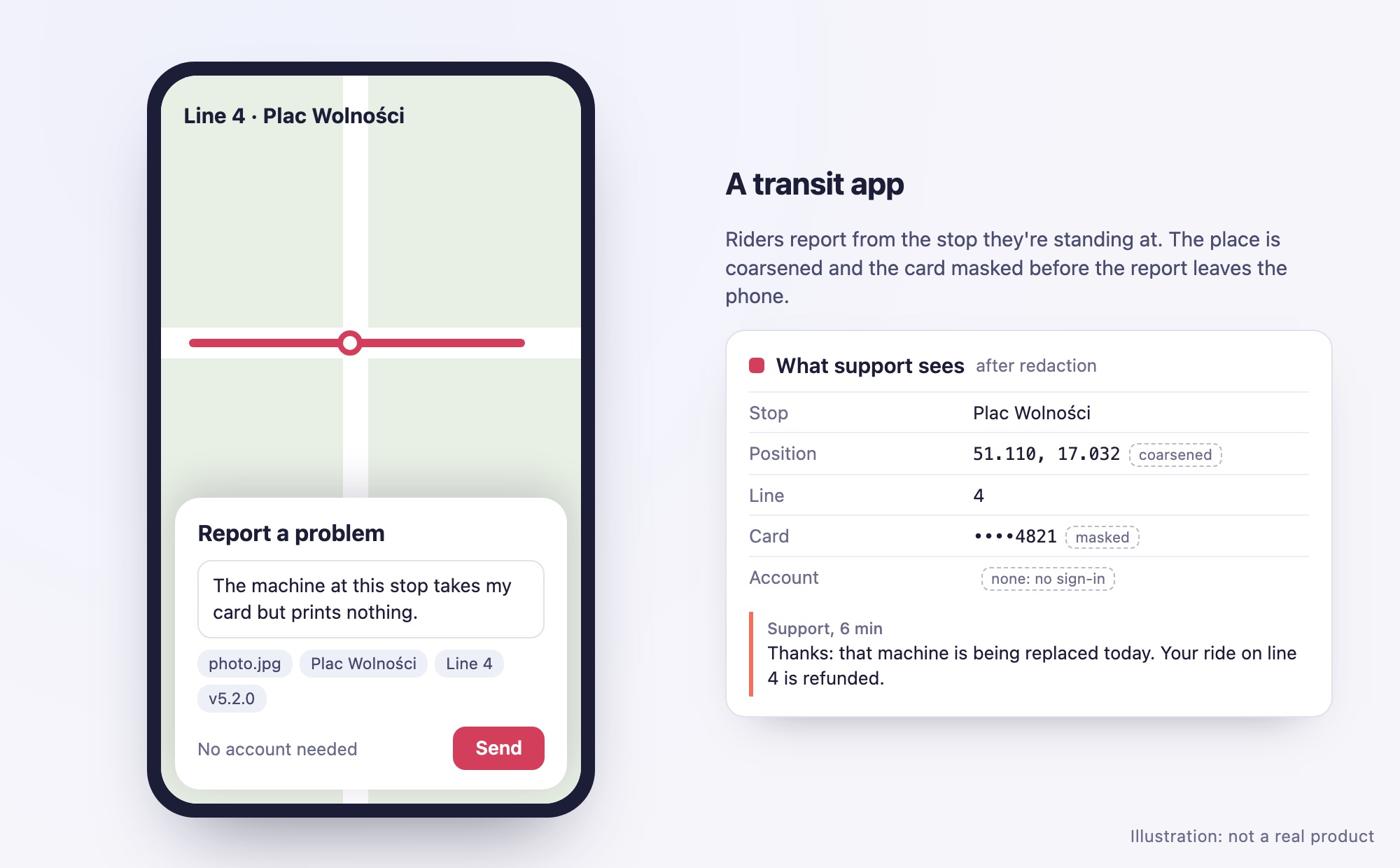
Riders report a broken ticket machine or a missed connection from the stop they're standing at. The report brings the place, the line and a photo. A redaction rule coarsens the place to about a hundred metres and masks the card number in the telemetry to its last four digits. Nobody needs an account to ask, and nobody on the support team can tell who asked.
What it uses: geo context fields with coarsen, mask on telemetry, attachments, contact off.
A journaling or wellbeing app
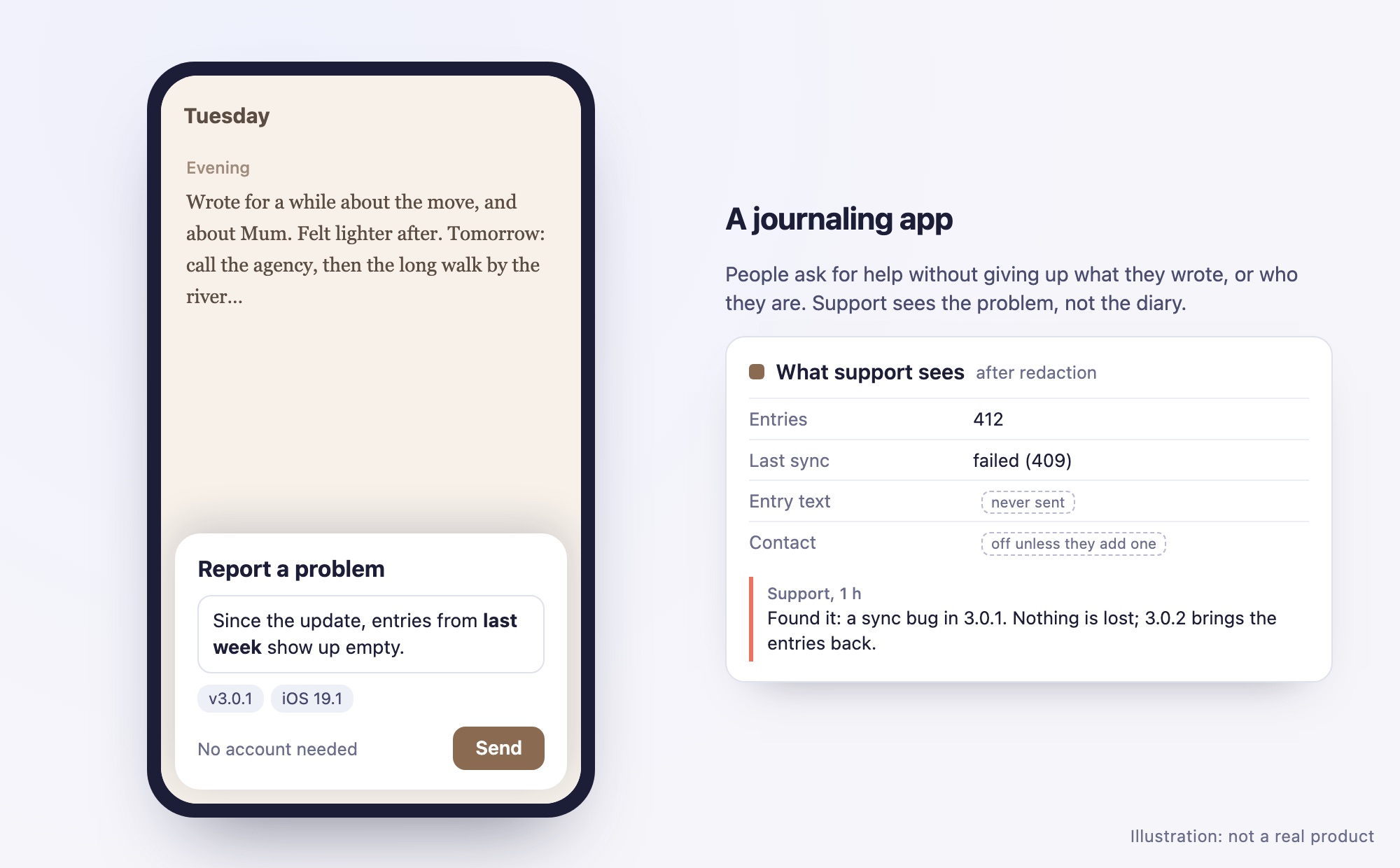
People write about things they'd tell no one with their name on it. When the app misbehaves, they can ask for help without giving that up. The note is Markdown, as they wrote it. Contact stays off unless they choose to add it. A short code moves the identity to a new phone, and one button erases everything.
What it uses: the anonymous identity, Markdown notes, opt-in contact, transfer codes, erasure.
A multiplayer game
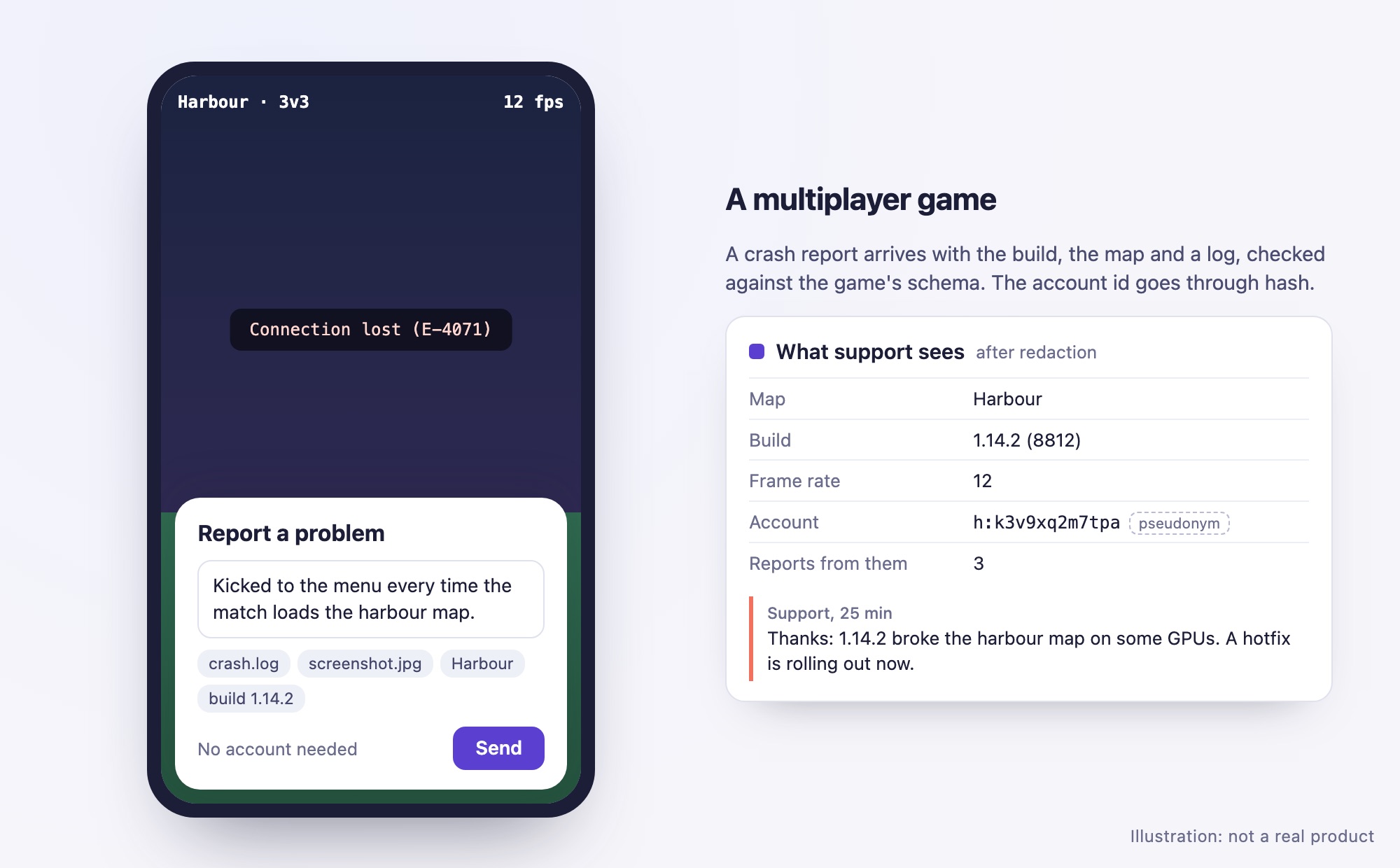
A crash report arrives with the build, the map, the frame rate and a log file, checked against the game's telemetry schema, so a broken build shows up within minutes. The player's account id goes through hash. Support can see that the same player reported three times without ever seeing the account. Every report also opens an issue in the studio's tracker, by webhook.
What it uses: a telemetry schema, attachments, hash, webhooks.
A field-service tablet app
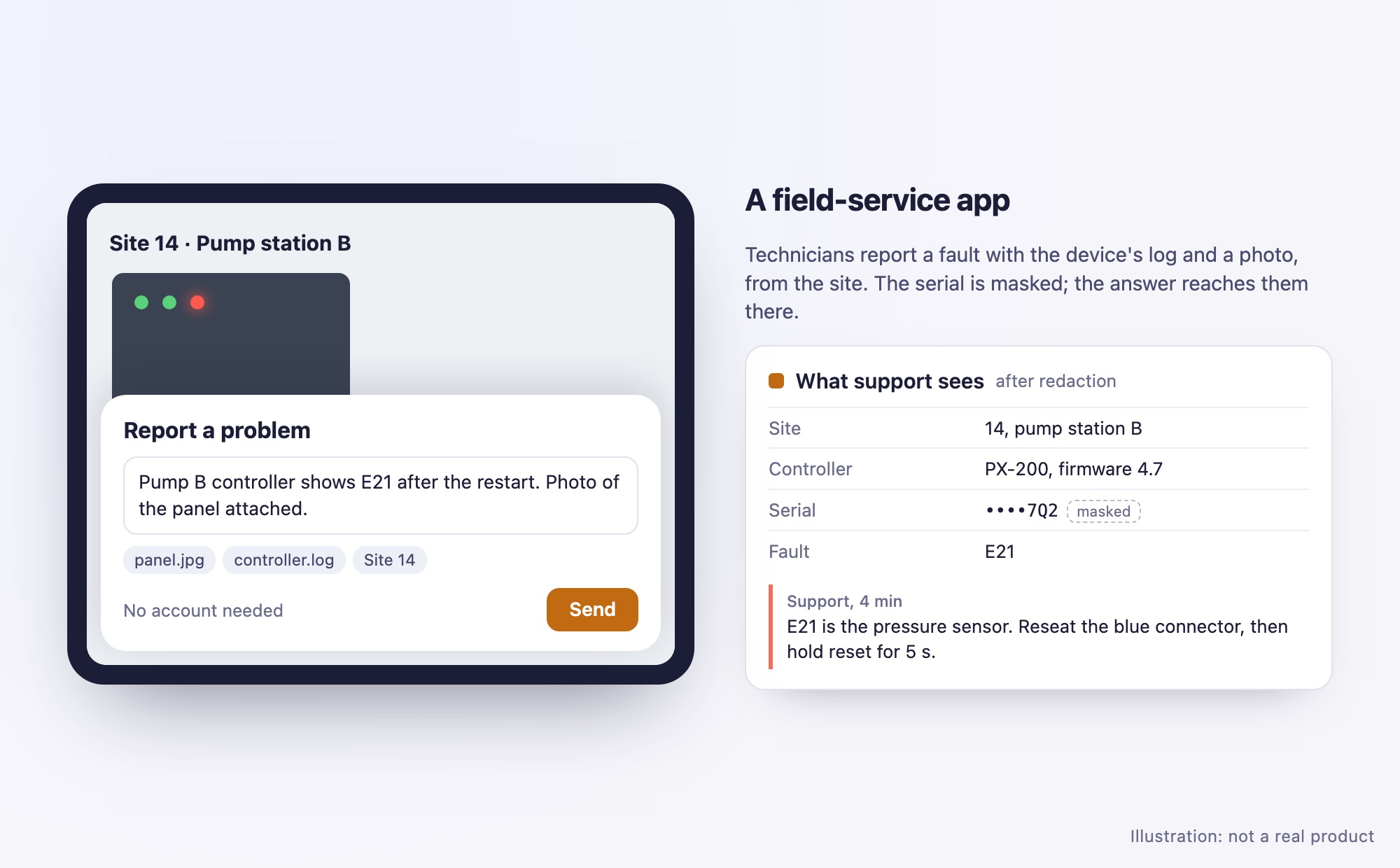
Technicians on a site report a fault with the device's log and a photo of the panel, from wherever the tablet is. The serial number is masked before the report leaves the tablet. The answer reaches the technician on site, and status changes go to the operations dashboard as they happen.
What it uses: attachments, mask, live answers, webhooks with content off (only what happened to which ticket).
A public kiosk
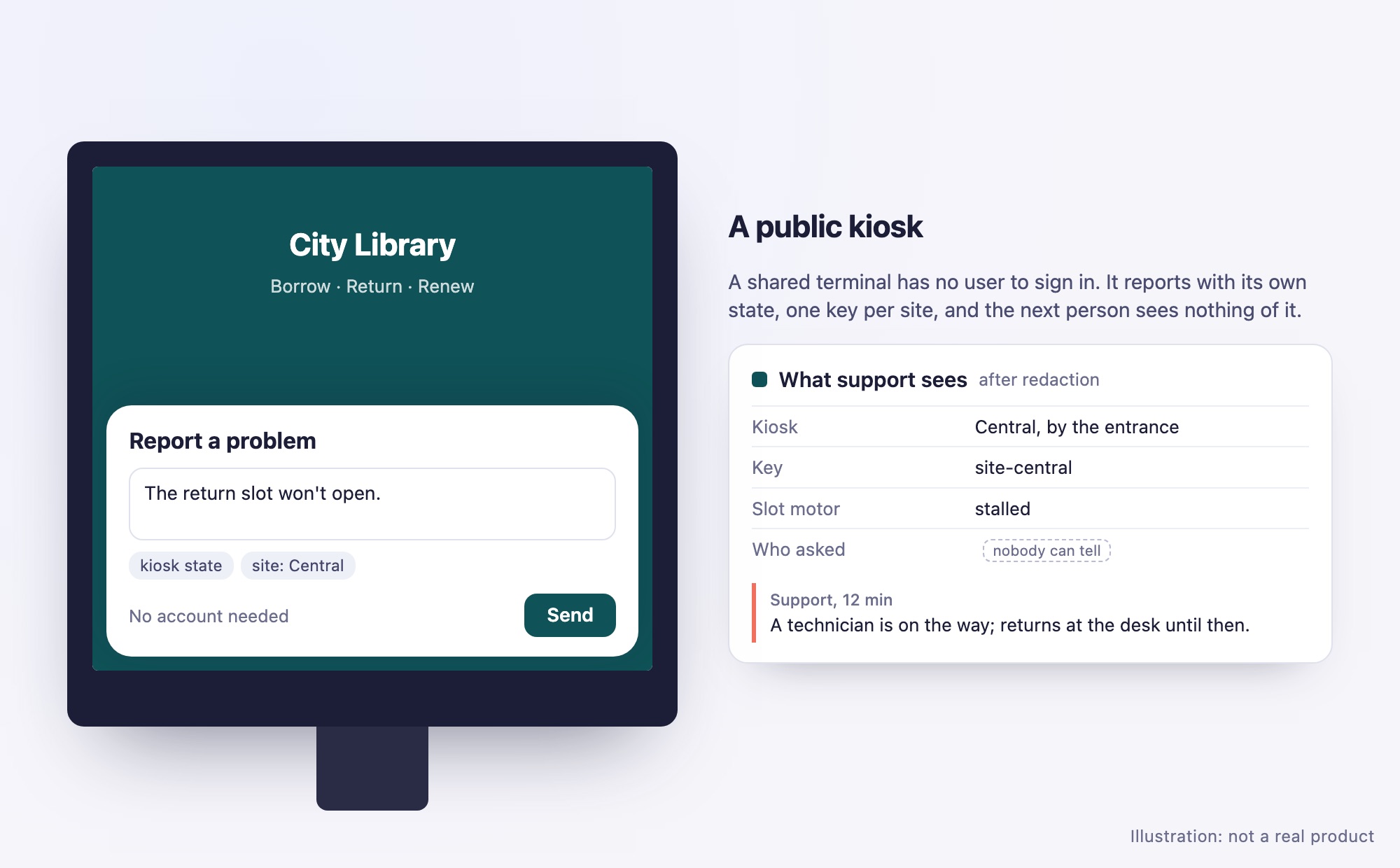
A shared terminal in a library or a station has no user to sign in. It reports what went wrong with its own state, and the next person at the kiosk sees nothing of the previous report. One key per site, so a kiosk that's been tampered with can be quarantined without cutting off the rest.
What it uses: one key per site, quarantine, the per-key budgets.
An edge device
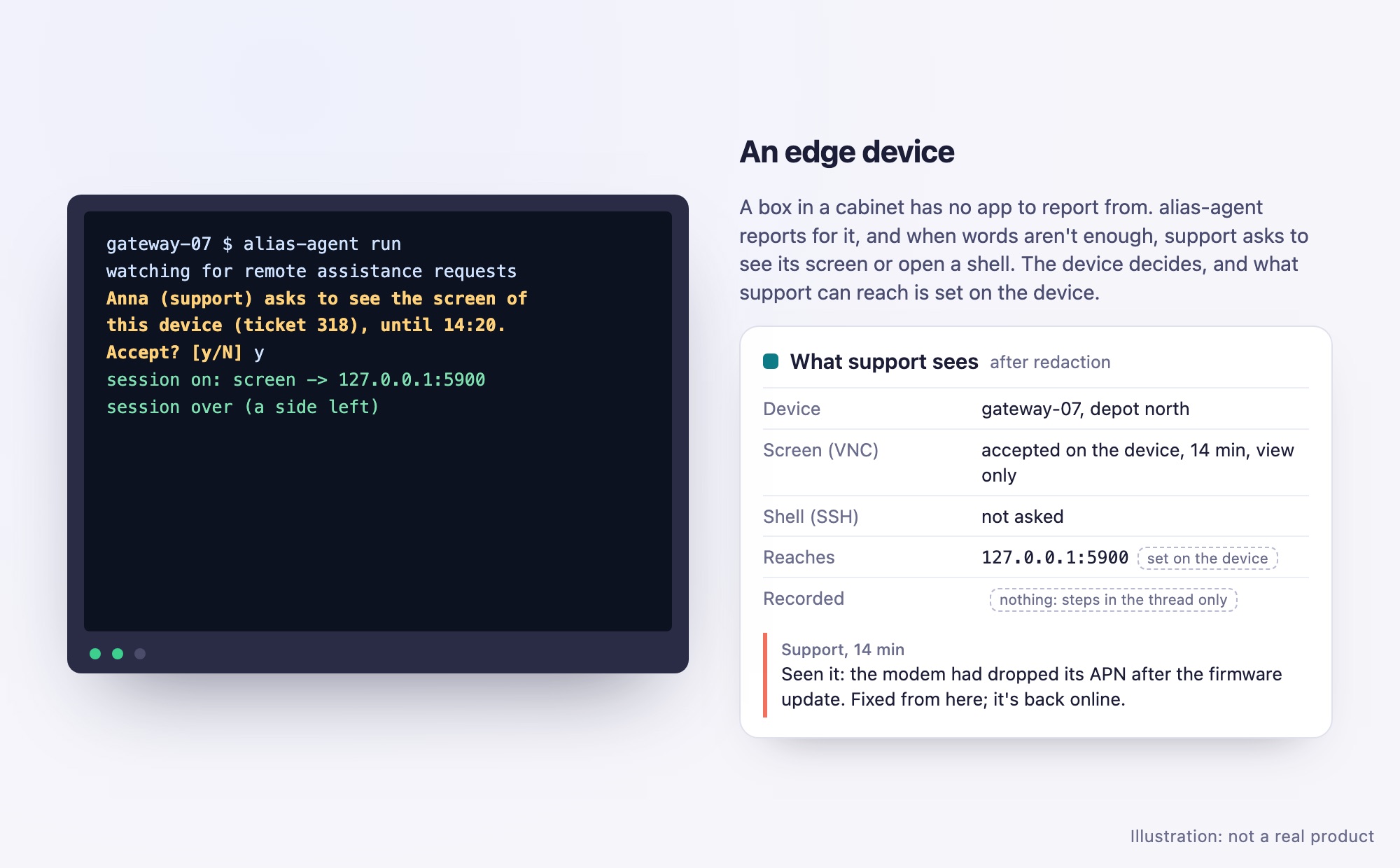
A box in a cabinet at a depot has nobody at it and no app to report from. alias-agent reports for it, with the box's own identity. When the report isn't enough, support asks from the ticket to see the screen or open a shell, and the box answers: whoever is at its terminal, or the owner's settings for channels it may accept unattended. The session goes through a relay both sides dial out to, so the box needs no open port.
What it uses: alias-agent, remote assistance (remote.screen, remote.shell), the steps in the thread and the log.
Feedback, not only problems
A drawing app has a Send feedback item beside Report a problem. Both open the same report window, but feedback goes to a second product, Sketchbook feedback, with a key of its own. Its context fields are the tool in use and a rating, and contact is off. It has its own queue, kept apart from the problems, and its own role, so the product team reads it without seeing support's tickets. Its reports are kept for as long as the team wants. Nobody has to answer: resolving an idea when it ships is enough, and the user sees it change. A webhook copies each idea to the team's board.
What it uses: a second product with its own key, context fields (text, number), contact off, the product's own role and keeping times, webhooks. Nothing else to set up: feedback is a report like any other.
Building something like these? Start with Pricing for the hosted service, or the quick start to host it yourself.