

Appearance
Products
A product is one thing your users report from: an app, a game, a device. Each has its own keys, users, reports, settings and look, and nothing is shared between products. Admin → Products lists them, with where each is kept: this page, or the config file on a self-hosted deployment.
Add product makes one. Every setting has a default, so an id and a name are enough to start. Changes are saved with Save changes, which counts what's unsaved. Delete product asks you to type its id.
A product from the configuration file is read-only here (This product is the config file's: change it there). Its webhooks can still be managed on the page.
The settings
| Section | What it sets |
|---|---|
| General | the id (it can't change later), the name, an optional support role whose holders work this product's desk, the privacy page shown to users, and the web origins allowed to use its keys from a browser |
| Branding | a colour, an accent and a logo, shown to users in the clients |
| Contact | whether users may leave a contact at all (Off or Optional), what kind (an email address, or something else such as a forum name), and what the user agrees to: the consent text shown to them in full |
| Conversations | whether new tickets are tickets or live conversations, who may take one live (nobody, support, the user asking, or either), and after how many quiet minutes it goes back to a ticket. See Live conversations |
| Keeping | after how many days resolved or closed reports are deleted, and users not seen |
| Limits | per hour: reports and comments per user and per address, and the like. Empty is the default. A key in quarantine gets a twentieth of each |
| Context fields | what a report may carry beside the note: a name, a label and a type (text, number, yes/no, a place, a link built from other fields, JSON). Anything a product sends that isn't declared is dropped |
| Telemetry | an optional JSON Schema the telemetry must match, and its size at most. A report that doesn't match is refused, with the reason |
| Redaction | the rules applied to the telemetry, the context and the note, on the device and again on the server |
| Removable | which telemetry or context values the user may take out before sending |
| Attachments | how many files, how large together, and which types, including types of your own |
| Remote assistance | what support may ask for (a shell, the screen), how long a session lasts, and how long the device has to answer. See Remote assistance |
| Webhooks | the endpoints that get this product's ticket events. See Webhooks |
The clients fetch these settings from the service, so a change here reaches your users without a new build.
Redaction
Each rule has a path (such as /telemetry/account or /note), a strategy and its setting:
| Strategy | Does |
|---|---|
drop | removes the value |
mask | shows •••• and the last few characters |
truncate | keeps the first so many characters |
round | rounds a number to a step |
coarsen | lowers the precision of a number or a place |
regex | replaces whatever matches a pattern, such as email addresses |
hash | a pseudonym: support can see that two reports share it, never what it is |
Try it runs the rules on a sample report, as a build would send it, and shows exactly what support would see. Try a rule before you save it.
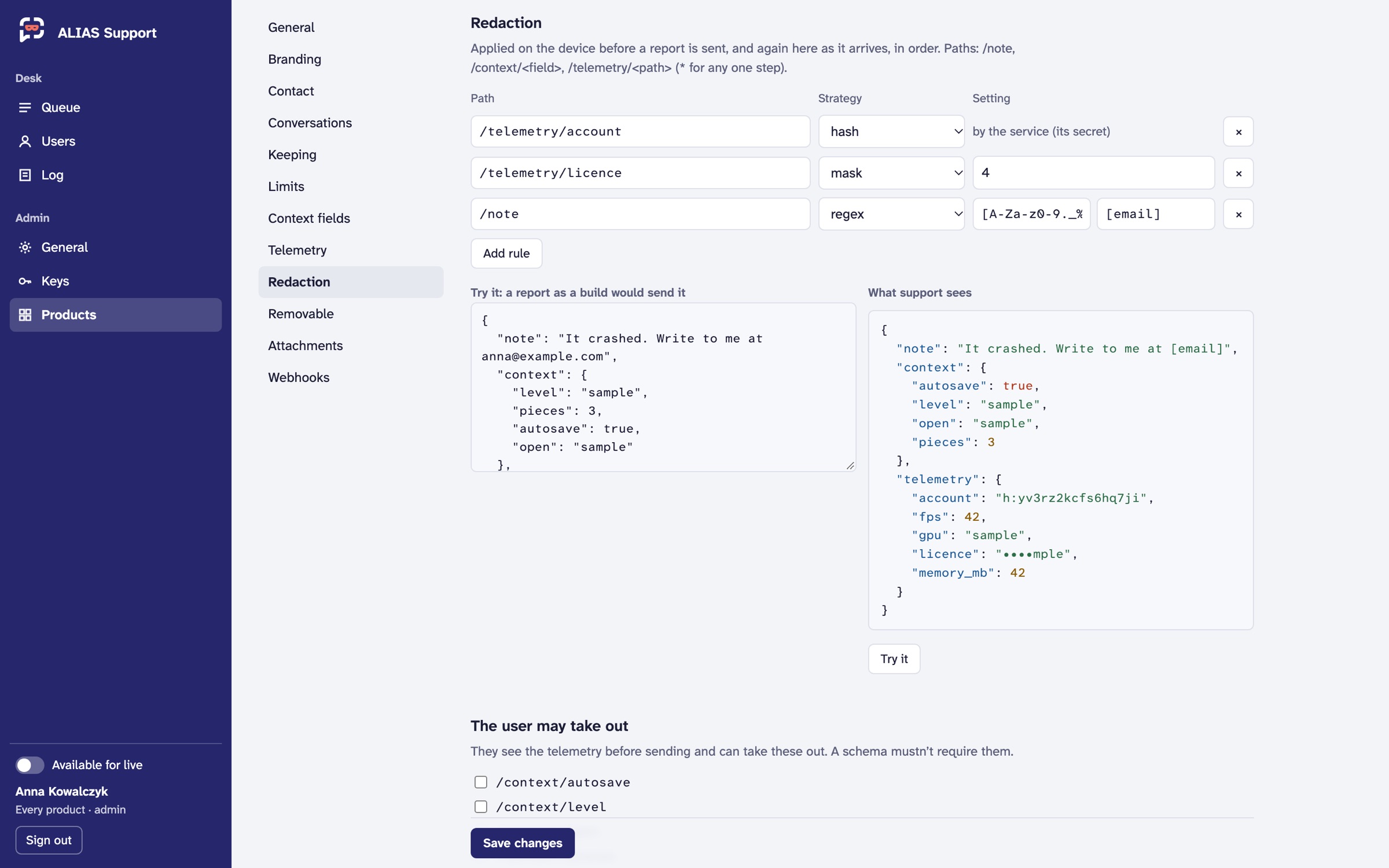 Demo data.