

Appearance
Remote assistance
When a report isn't enough, support can ask, from the ticket, to see the device's screen or open a shell on it. The device decides each time: nothing connects until it says yes. What a channel reaches is set on the device, never from the panel.
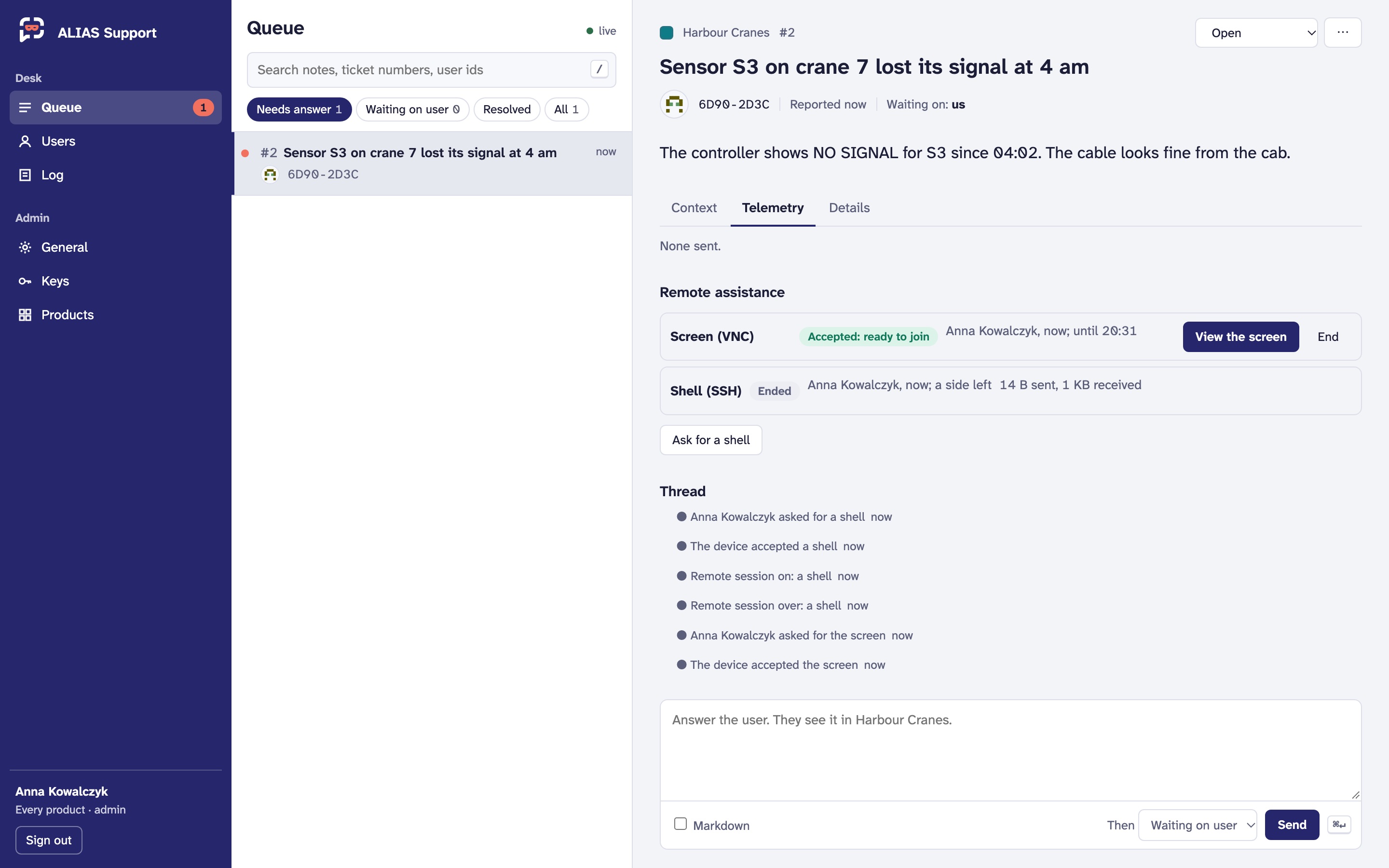 A made-up crane controller. Demo data.
Before you can ask
- The product offers the channel: Admin → Products → Remote assistance, Support may ask for a shell, the screen, or both.
- You have the permission:
remote.shellorremote.screen. Onlyadminhas them by default (People and roles). - There's a relay. On the hosted service it's ours, in the Business plan. Self-hosted, it's yours: see Deploying.
Asking
On the ticket, Ask for a shell or Ask for the screen. The request shows as Asked, waiting for the device. The device answers: whoever is at it, or for a box nobody sits at, its owner's settings. You get a notice either way. A request nobody answers expires (10 minutes by default), and Withdraw takes it back.
Once the device says yes (Accepted: ready to join), you have two minutes to join:
- View the screen opens it in the panel, view only unless you switch that off. If the device asks for its VNC password, you're asked for it. The screen isn't encrypted end to end: whoever runs the relay could see it.
- Open the shell gives you a command to run in your own terminal:
aliasctl remote ssh <product> <ticket>(Command line). It goes to the device's own SSH, which still signs you in with its accounts, and is encrypted end to end.
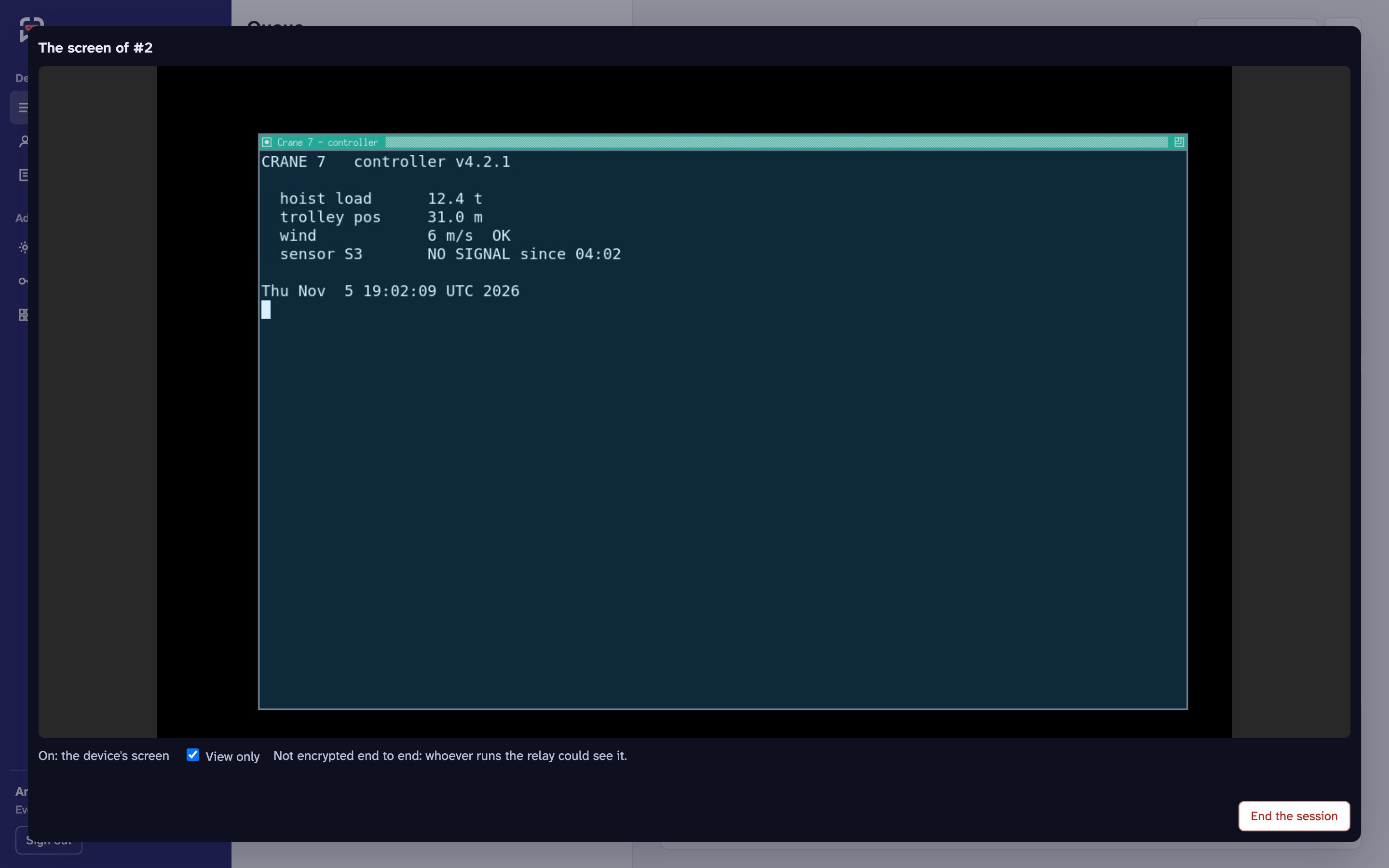
A session lasts at most as long as the product allows (30 minutes by default). End finishes it, and it's over as soon as either side leaves.
The record
Asked, accepted, declined, started and ended go in the ticket's thread, which the user sees too, with how long it lasted and the bytes each way. Asking, joining and ending are in the log. Nothing that passes through is seen or kept by ALIAS.