

Appearance
The look and the log
General
Admin → General sets how the panel looks for everyone in your workspace:
- Appearance: its name, a logo (and one for dark mode), the browser icon, and two colours: the primary (the rail, buttons, focus) and the accent (what needs attention). Each shows whether its contrast is enough to read.
- Sign-in: which provider you sign in with, and Check sign-in.
- Links: where places on a map open.
- About: the version, and the plan.
Changes are previewed on your screen and saved for everyone with Save changes. Reset to the defaults goes back to ALIAS's own look. A value the deployment pins says so, and can't be changed here.
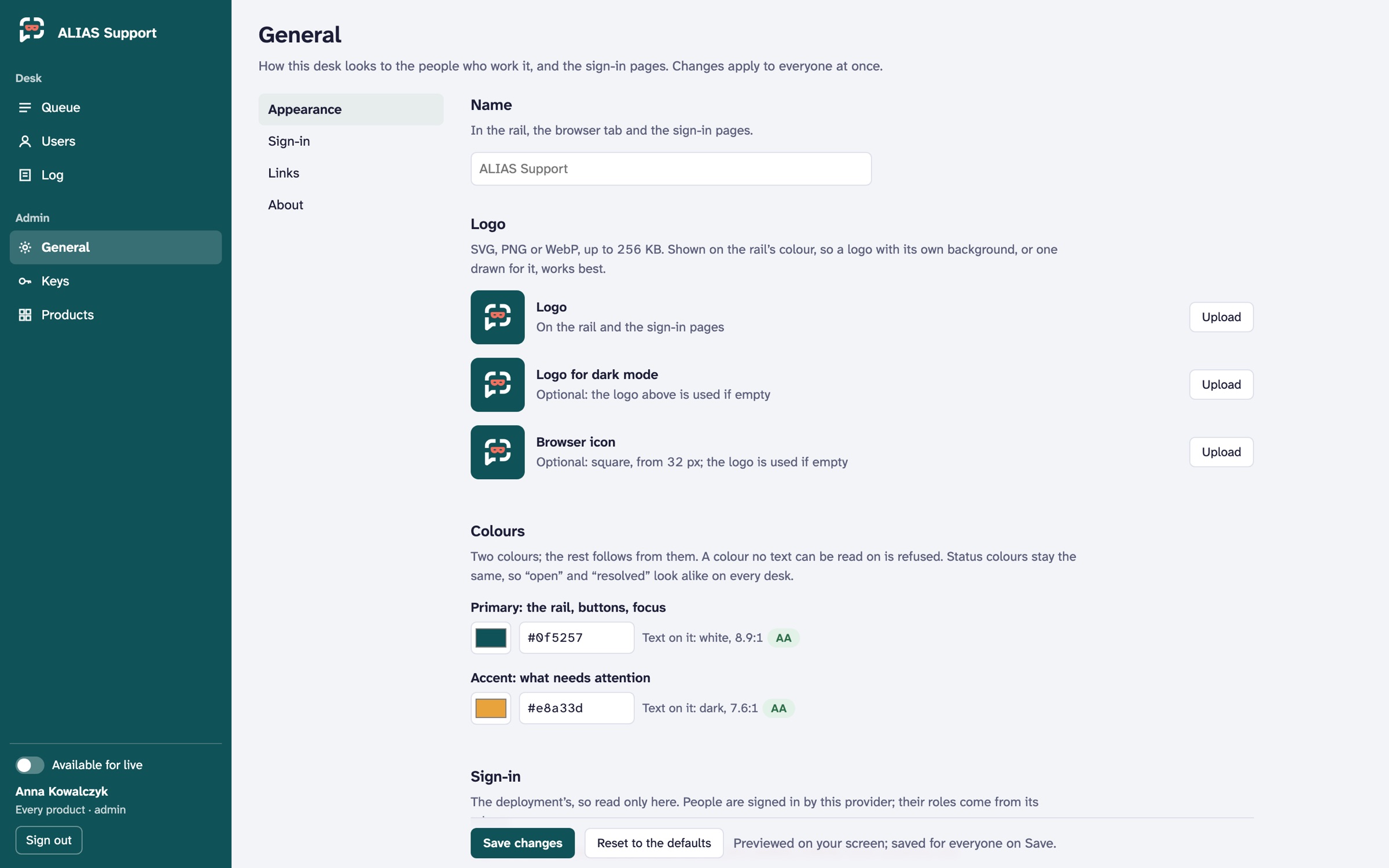 Demo data.
Each product's own colours and logo, which users see, are in its Branding (Products).
The log
Log is what was done, by whom, to what, and when: every look at a contact (highlighted), tickets deleted or taken live, users blocked, reset or erased, keys issued, quarantined or revoked, products and settings changed, people added or removed, webhooks, and remote assistance. Filter it by who, what and the day.
Agents and scripts are in it under their own names, the same as people.