

Appearance
Tickets and answers
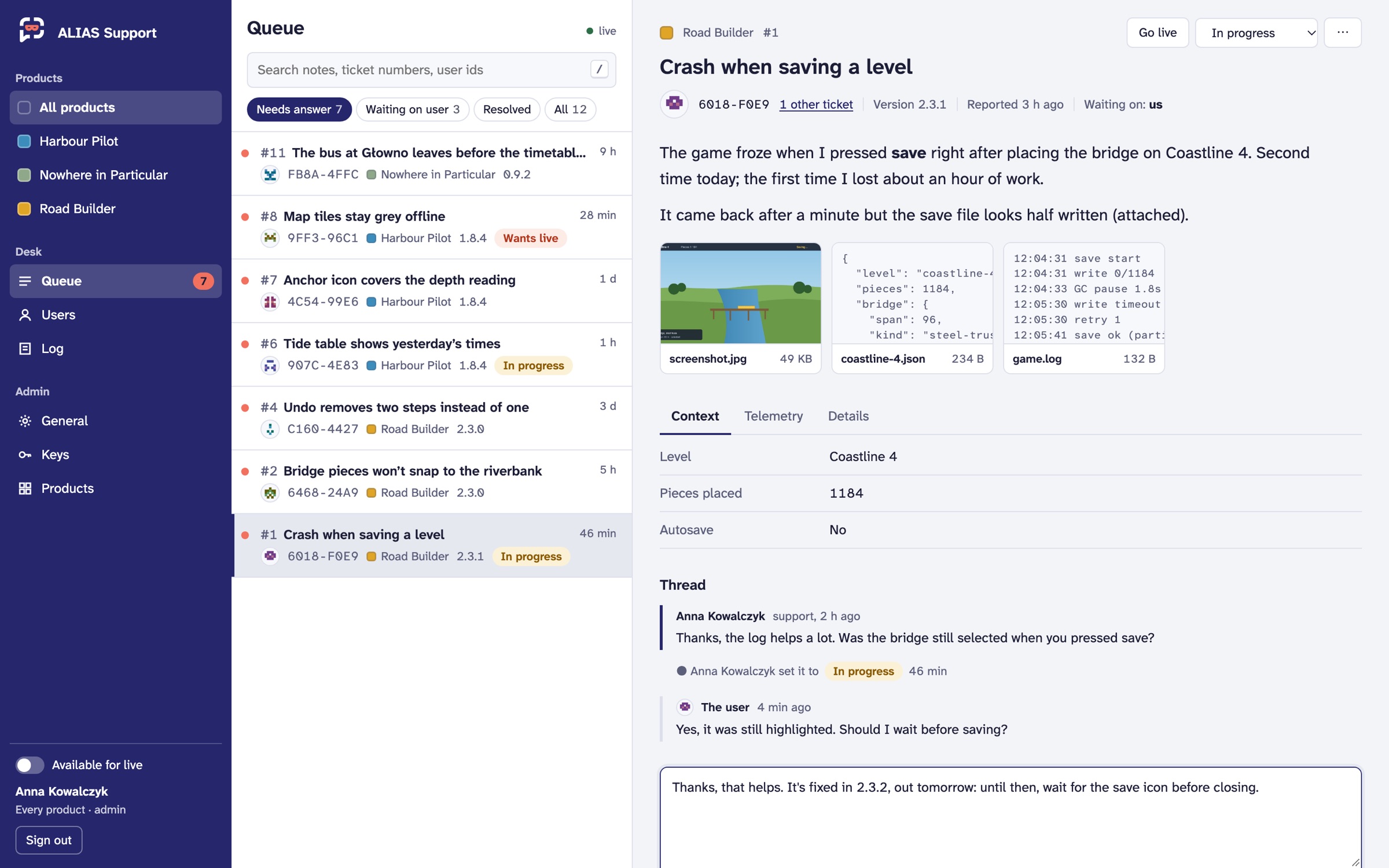 Demo data.
The queue
Queue lists the reports of the product chosen on the rail, or of all your products. Answers and new reports arrive live; the header says live while the connection holds.
| View | Shows |
|---|---|
| Needs answer (the default) | open tickets, and any not resolved or closed where the user wrote last |
| Waiting on user | tickets you've answered and are waiting on |
| Resolved | resolved tickets |
| All | everything |
Search (/) finds notes, ticket numbers and user ids. Each row shows the ticket number and the note's first line, how long ago, a dot when the user wrote last, the user's short id, the version, and the status if it isn't Open. A ticket from a key in quarantine is marked Quarantined key: treat what it says with care. j and k move through the list.
A ticket
- The note, as the user wrote it, in plain text or Markdown.
- Attachments: images open full size (with Download), text and JSON files open to read.
- Context, Telemetry, Details: the fields your product declared, as a table; the telemetry's named fields and the rest as sent; and the key, the app version, when it came, and how it was written. A value changed by a redaction rule is marked, so you know you're seeing it redacted. A place opens on a map, a link opens or copies.
- The thread: replies, answers, status changes, and The user is typing or Seen by the user when they are.
- The menu (⋯): the user's page, a link to the ticket, and Delete this ticket.
Above the note, you see how many other tickets the user has, whether they're blocked, and who it's waiting on.
Opening a ticket marks it read. There's no assigning: whoever's on the desk answers.
Answering
Write in the box at the bottom (r jumps there). The user sees it in your product, where they are. Tick Markdown to write in Markdown, with a preview. Then sets the status that goes with the answer: Waiting on user, unless you pick another. Send, or ⌘ Enter (Ctrl Enter).
Someone who may only read sees You may read this product's tickets, not answer them.
Statuses
| Status | Means |
|---|---|
| Open | new, or the user wrote again: it needs an answer |
| In progress | someone's on it |
| Waiting on user | answered, waiting for them |
| Resolved | done. It's kept as long as the product says, then deleted |
| Closed | done, nothing more to say |
Change it with the status menu at the top (s), or with Then as you answer. A ticket waiting on the user, or resolved, opens again when they reply. The user's client shows each status in its own words.
Feedback, not only problems
A report doesn't have to be a problem. A product can ask for feedback through a second product of its own, with its own queue and role. See the showcase.